Data governance means taking care of the information people rely on: knowing where it came from, checking it and explaining what changed. Here are practical examples from my projects, with the results and code available for a closer look.
Project Alpine
Data with a history
Source
Kraken & CoinbaseKeep source and timing details
Quality
asset_pair · last_priceCheck required fields and positive prices
Lineage
Bronze → Silver → GoldTrace ingestion through to analytical models
Credentials
Secret storageKeep credentials outside the notebook
Controls you can trace back to the code.
01 / Governance control
Keep meanings consistent
A price, quantity or total should mean the same thing wherever it appears.
Implementation example · PROJECT ALPINE
Compare the same things
What I implemented
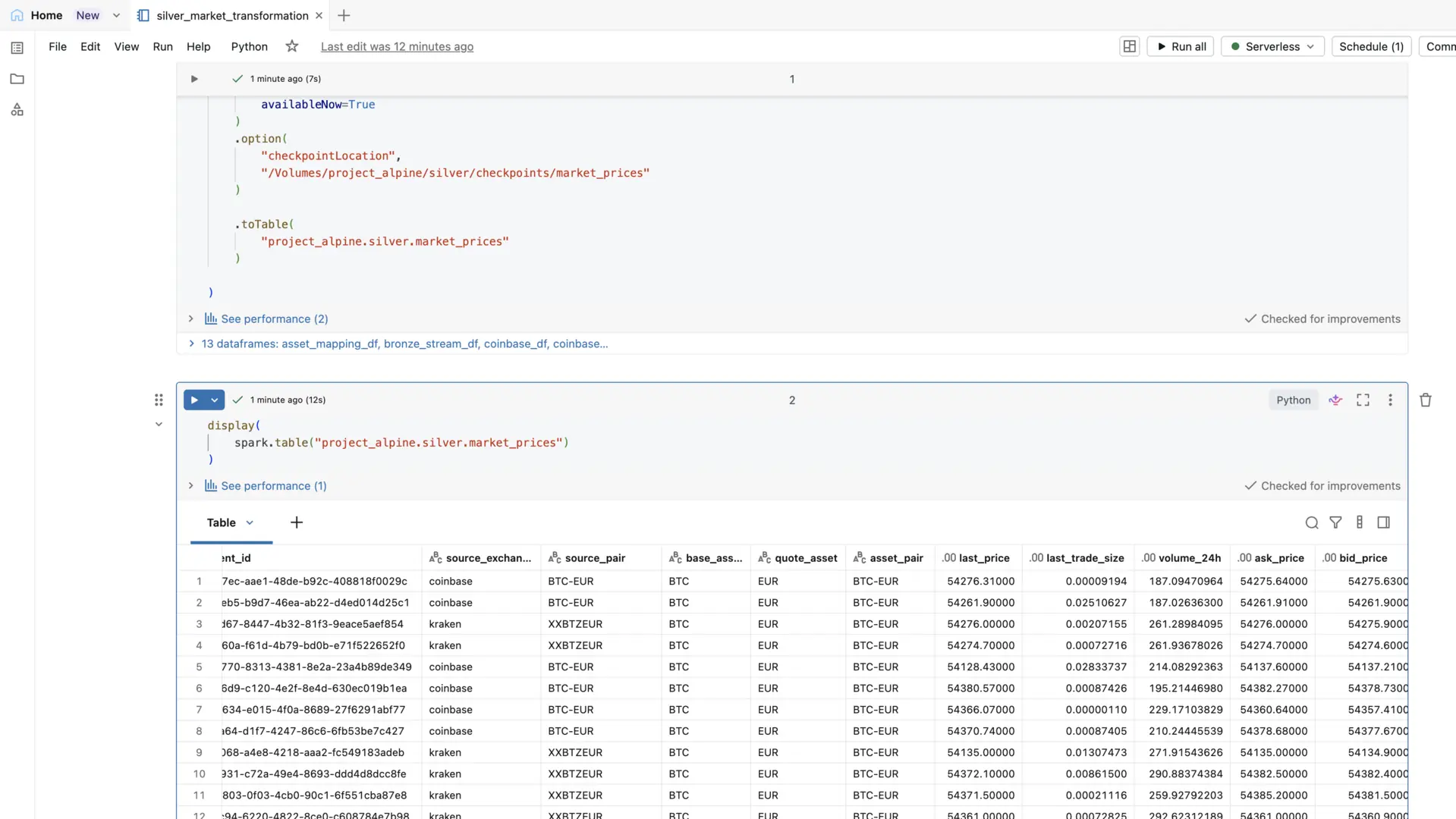
Two exchanges can use different names or definitions for similar information. I brought their records into a shared format while keeping the original source details.
How it works
I translate each exchange’s asset names into a common set of names. I keep the size of the latest trade separate from the volume traded over 24 hours, because those numbers answer different questions. I also keep the times when records were received and processed.
What changed
Reports and alerts can now use the same definitions. Each record still shows where it came from, so a comparison can be traced back to its source.
Across the portfolio
Vienna also explains the fields used to connect transport and weather observations.
Connection credentials are retrieved from secret storage rather than written directly into the notebook. Incoming records retain their source and timing details, while saved progress markers help the process keep track of its work.
Find missing or questionable values before they influence a report.
Implementation example · PROJECT ALPINE
Set questionable records aside
What I implemented
A record should pass a few basic checks before it is used for analysis. I added rules for acceptable prices and known assets, then tests for the prepared tables.
How it works
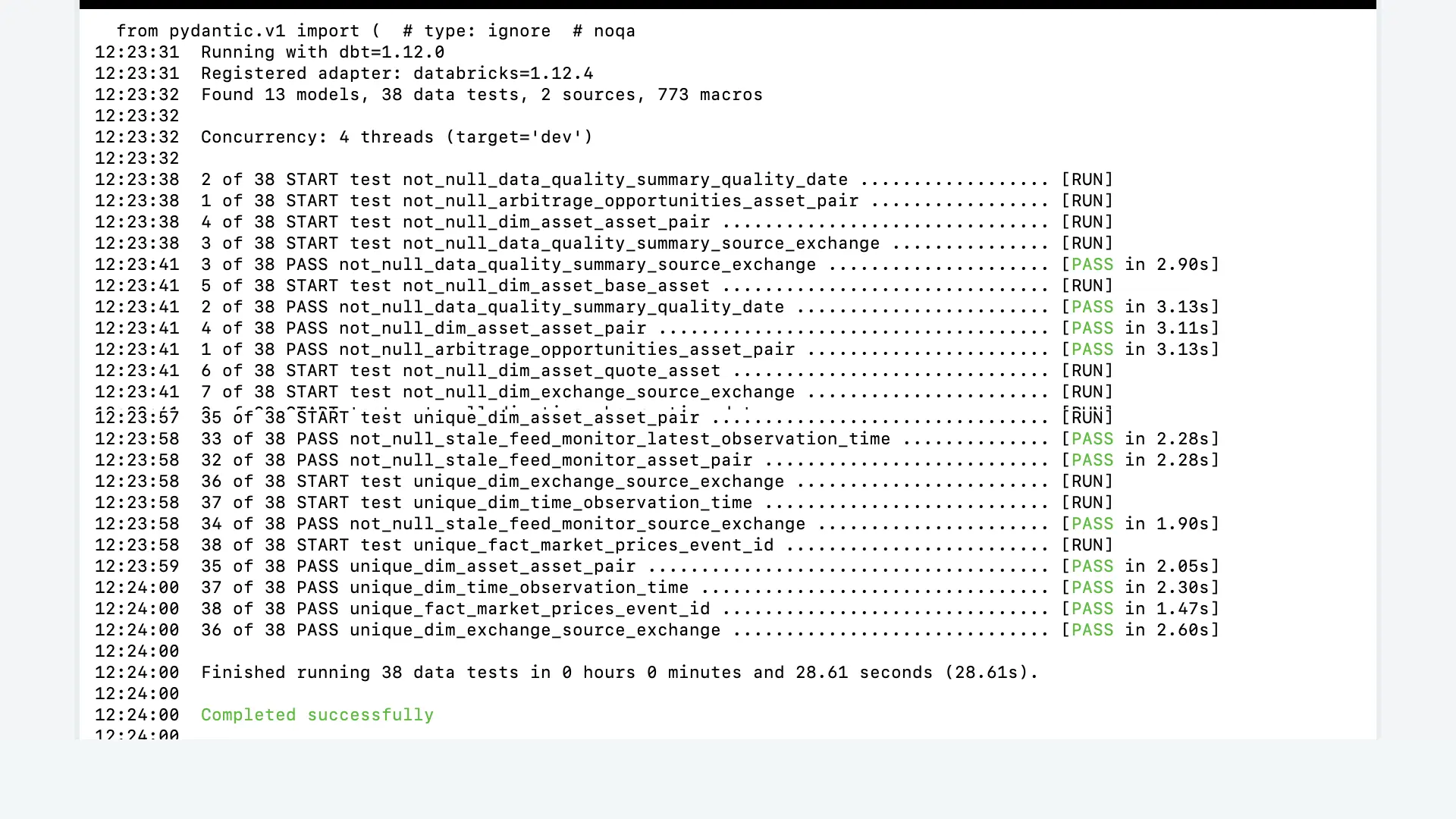
A price must be present and greater than zero, and the asset must be recognised. Records that fail go into a separate table for investigation rather than disappearing. The process tracks its progress separately for accepted and rejected records. Further tests check for missing values and duplicates.
What changed
The saved run shows 38 tests passing across 13 data models. Rejected records remain available to inspect without entering the accepted price table.
Across the portfolio
Vienna checks required fields. Cultural Heritage checks record counts after connecting tables. Each check addresses a different way information can go wrong.
Organise the records without losing details or counting the same thing twice.
Implementation example · CULTURAL HERITAGE
Keep details that a summary could hide
What I implemented
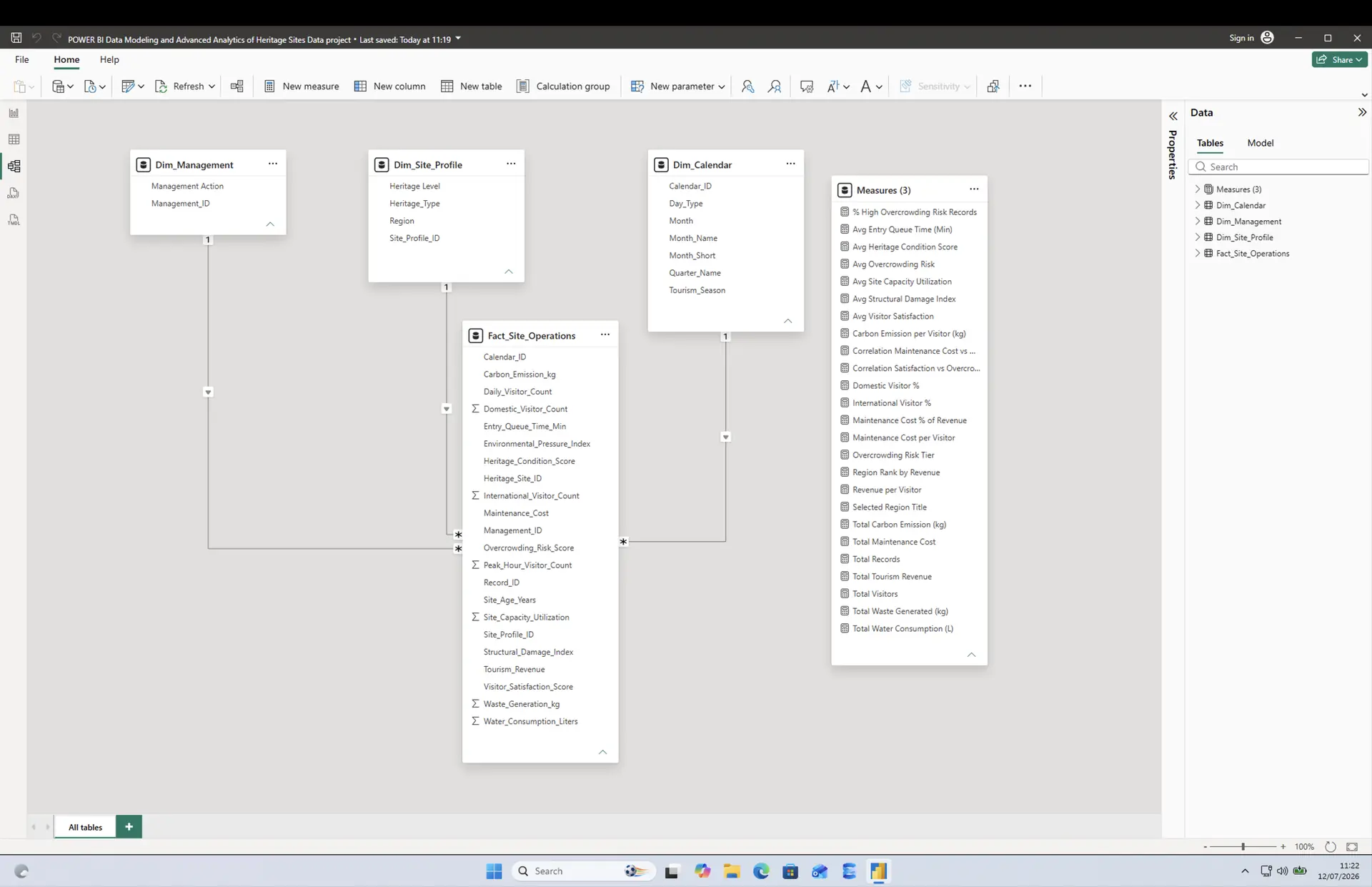
My first design gave each heritage site one category description. That hid differences between the records, even though the query itself worked.
How it works
I kept each distinct category combination in a separate profile table and linked every record to its matching profile. The SQL also defines the allowed table relationships and compares record counts before and after the change.
What changed
The revised model keeps those differences available for the report. The script documents a matching total of 15,000 records before and after the transformation.
Across the portfolio
Vienna keeps transport records when weather is missing. Alpine makes exchange-specific names comparable.
Let another person follow the steps from the original record to the report.
Implementation example · VIENNA TRANSIT
Show what is missing
What I implemented
In the Vienna project, I explain what each field means and how transport observations are matched to weather data.
How it works
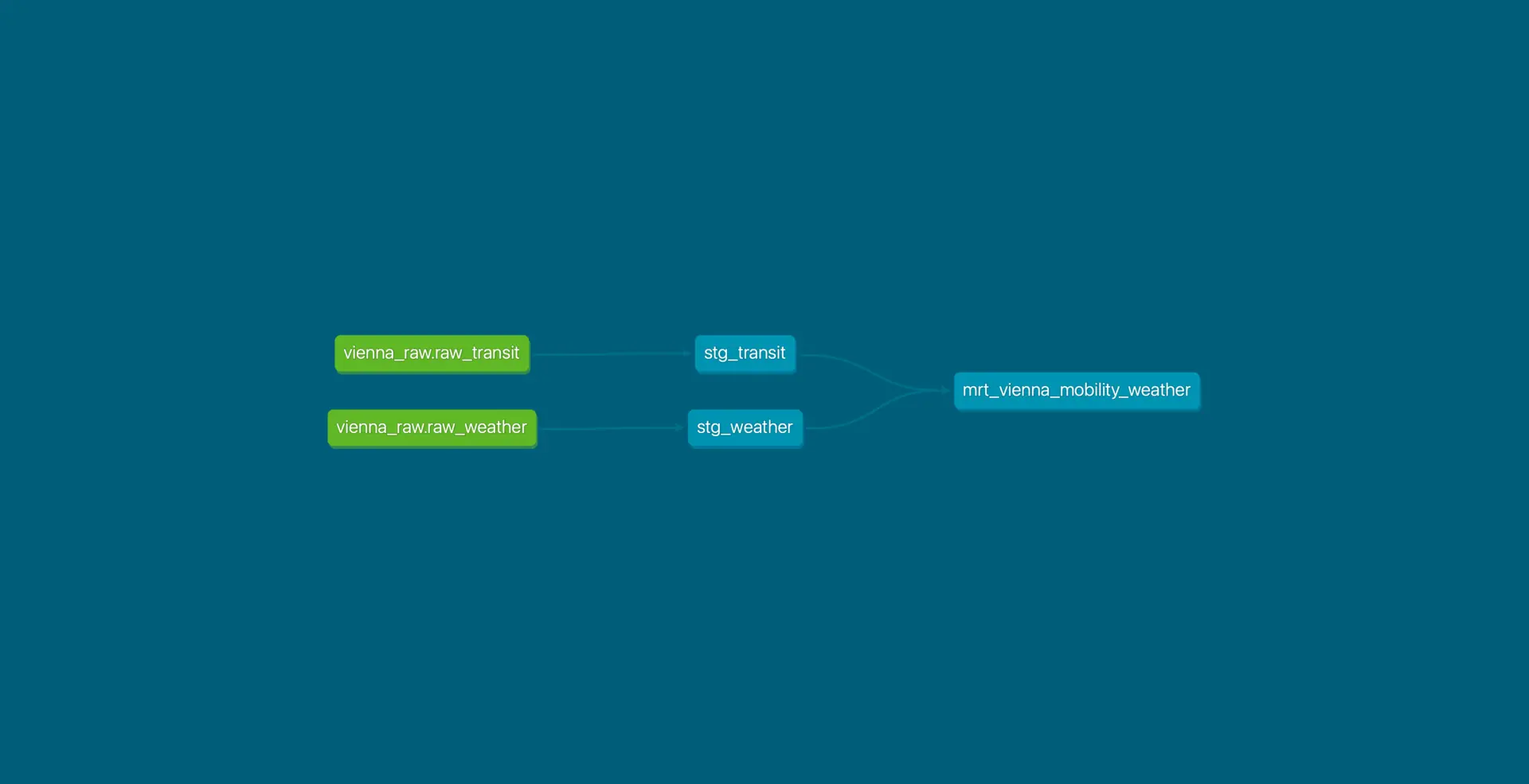
The model chooses the latest weather record for a station within each collection hour. If no weather record is available, it keeps the transport observation with the weather fields left empty. Four tests check required identifiers and times.
What changed
Someone reading the result can see where information is missing. Transport observations are not quietly removed just because the weather source has a gap.
Across the portfolio
Alpine keeps the source details and timing of incoming records so their path through the system can be followed.
Records are matched by the hour they were collected, which may differ from when the original events happened. The checks do not guarantee that every source observation was captured.
Recorded dbt lineage: raw sources, staging models and Gold martTechnical detail: see the code example
LEFT JOIN weather w
 ON t.nearest_weather_station_id = w.station_id
 AND t.join_hour = w.join_hour
 AND w.weather_rn = 1
Selected expressions; formatting condensed. Open the implementation below for the complete logic.
These examples come from independent projects. The images show saved results, not a live service. They demonstrate specific checks and documentation, rather than a complete company-wide governance programme. Atlas remains a design awaiting implementation.